
MiniTouchPLC. Integrated HMI & PLC ALL IN ONE. Most Compact, Most Space Efficient HMI & PLC. Ideal for Table Top or Small Machines.
MiniTouchPLC. Integrated HMI & PLC ALL IN ONE. Most Compact, Most Space Efficient HMI & PLC. Ideal for Table Top or Small Machines.
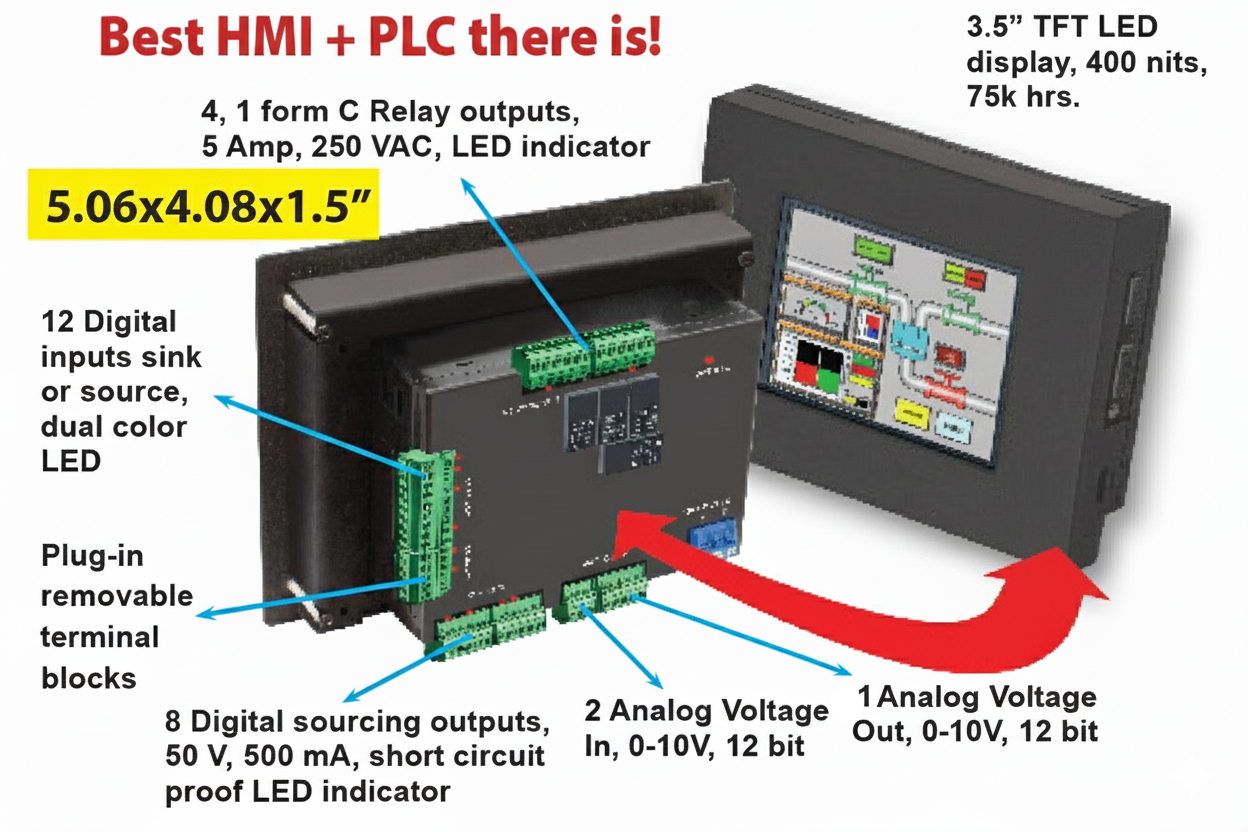
- 27 I/O at 5” by 4” and just 1.5” deep
- 12 DC in, 8 Short Circuit proof DC out
- (4) 5-Amp Relays
- (2) 250khz encoder inputs
- 2 analog inputs, and 1 analog output (voltage)
- Remote Monitoring and Control on Smart Phones
- Mini-wifi Option to program/monitor from 50 ft. away
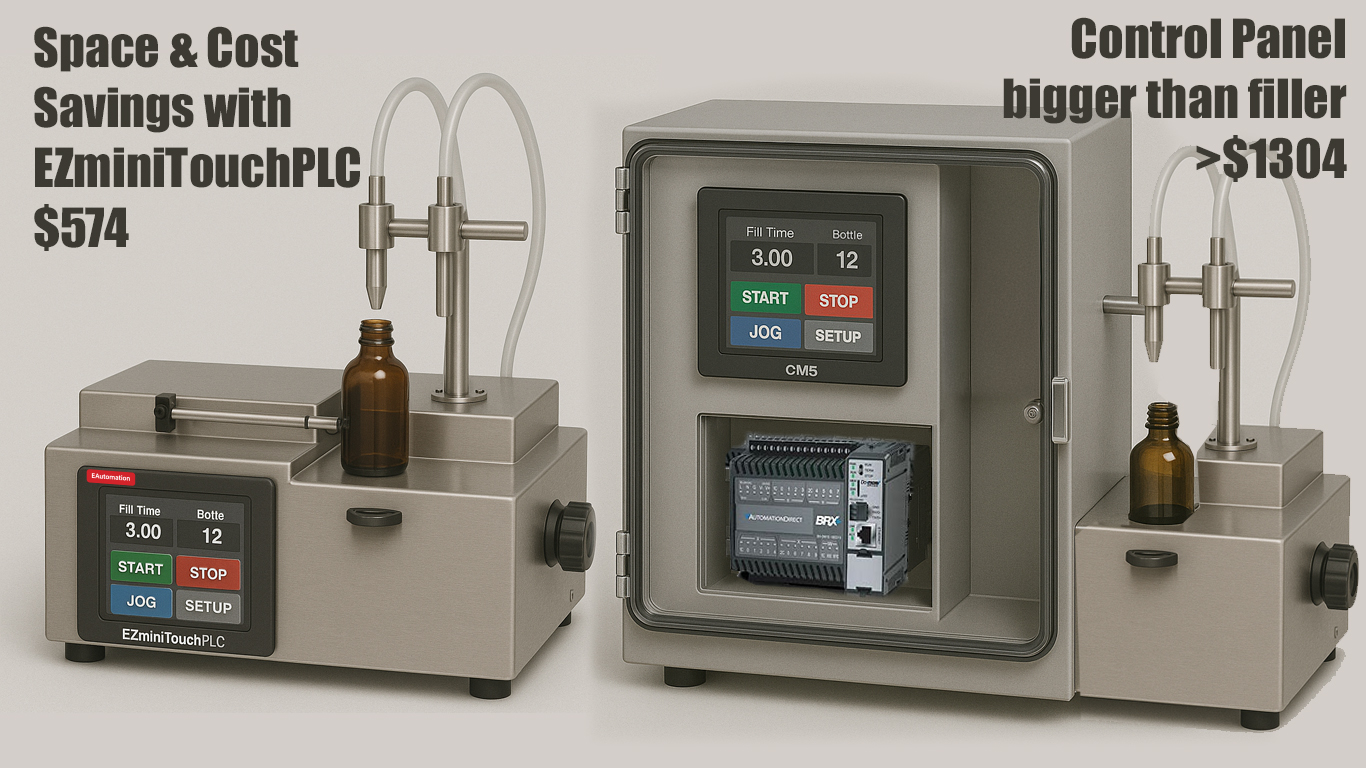
Saves panel space as no extra space is needed for a separate plc that’ll be mounted in the back of the control panel. Saving 8x5 square inches of panel space easily.
In this example of a small but advanced bottle filling machine, using CM5 and BRX requires a much larger control panel.
Total: $1304 vs $574 for EZminiTouchPLC.
PLC is FREE. In a direct apples to apples comparison, the price of the miniTouchPLC is comparable to most standalone HMI’s even without factoring the PLC cost. So, comparing products from ADC with their hmi and plc, we are looking at least a 2 for 1 price ratio. Tariffs will further drive their prices up.
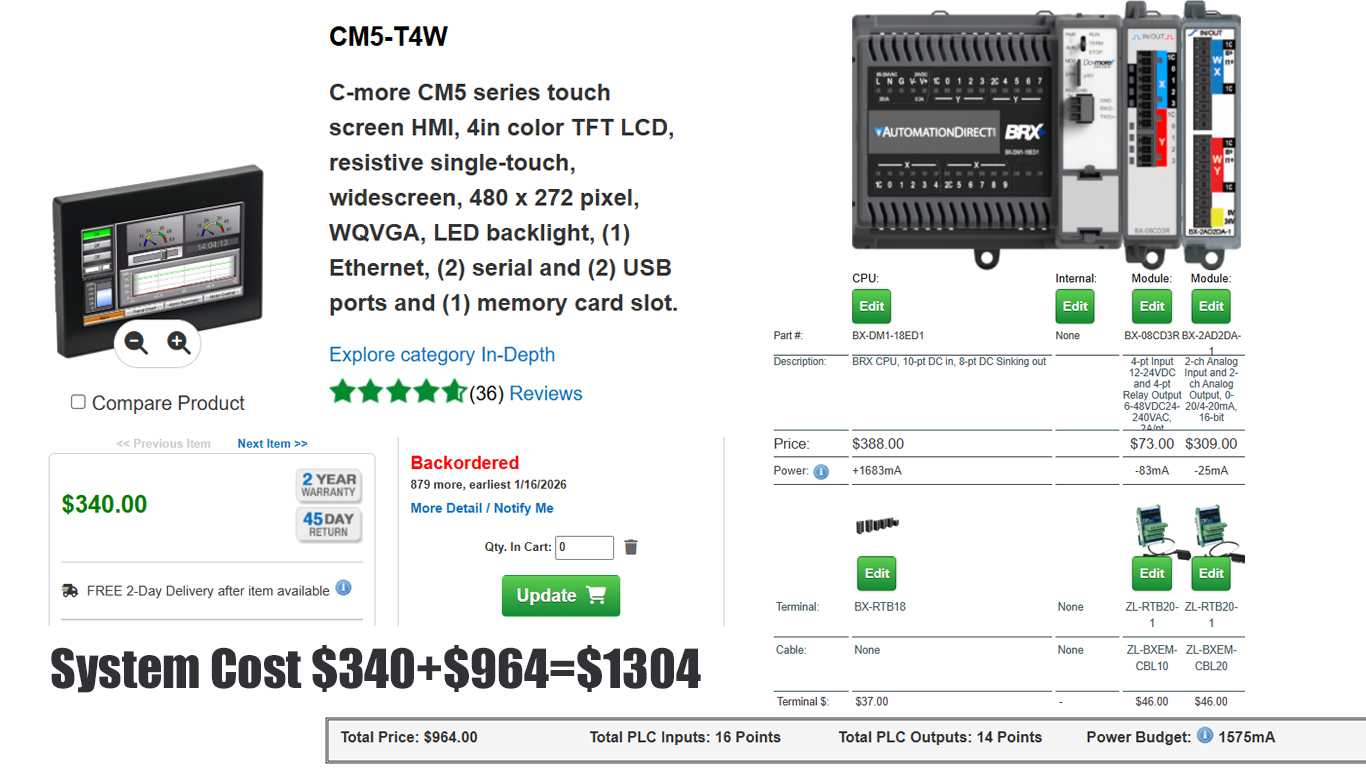
ADCs CM5 and BRX combination costs $1304 and there is additonal cost of larger enclosure making EZminiTouchPLC at least 2 for 1 @ $574
Most Maintenance Friendly LEDs right next to Terminals, Short circuit proof outputs, Plug-in Removable terminal blocks
Free program conversion from EZAutomation
Drag N Drop Eziest PLC software
Built-in Snubbers on Relay contacts to save extra cost unlike with ADC PLCs.
* Note 1 explanation
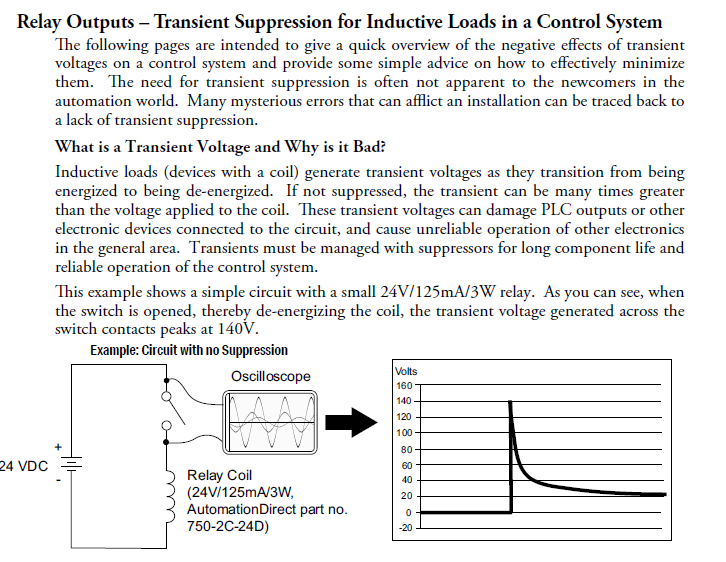
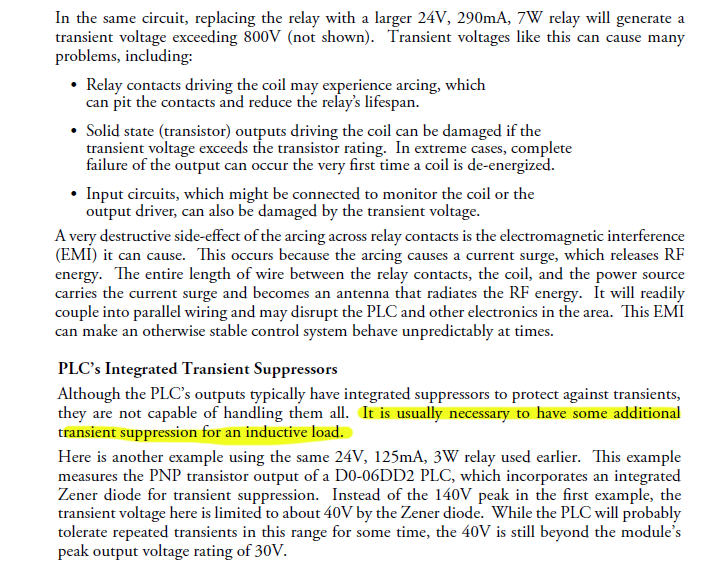
ADC requires transient supression for inductive loads driven by relay contacts
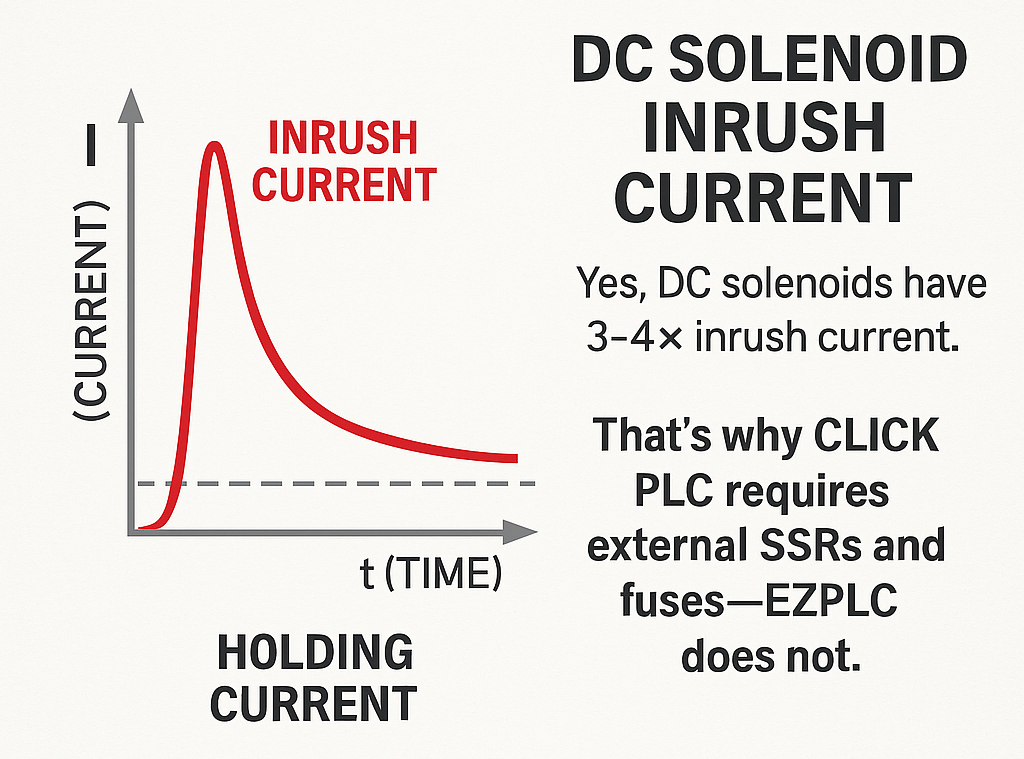
It's short circuit proof DC outputs with 4 Amp inrush surge capability elimates need for external solid state relays and installation of fast acting fuses for each output.

DC solenoids have an inrush current 3-4 times its steady state current, requiring external relays and fuses
- Need 2 Amps Solid State Relays to drive just 2 DC solenoids: (57+5)x2=$124
- Need Fast acting fuses to protect DC outputs driving solenoids, not short circuit proof but better: (8+5)x2=$26
- Additional components to make a system somewhat reliable: $278
In-rush current in DC solenoids explained
DC solenoids are an inductive load that present a momentary short to it's driver circuit. For example even a small 6W 24V DC that has a steady state current of 250 mA will have an in-rush current of 750mA to 1A. This in-rush current could last only a few µs but the output transistor or Mosfet driving it needs to have a capability of handling 1A. Therefore a prudent automation engineer will put in an external solid state relay to drive this DC solenoid. A typical solid state relay (such as Crydom) will cost $57 for each SSR and there would be at least a lobor cost of $5 to mount and connect each solid state relay.
Now solid state relays are not short circuit proof leaving the Automation engineer no choice but to put a fast acting fuse in series with the coil of the DC solenoid costing additional material and labor.
Each PLC output driving a DC solenoid will cost at least additional $75 per output.
On first glance it would appear that the problem is solved even though it costs substantial additional money, but these fuses present a maintenance problem in that the engineer/technician troubleshooting it has to find this fuse and replace it in case the solenoid shorted.
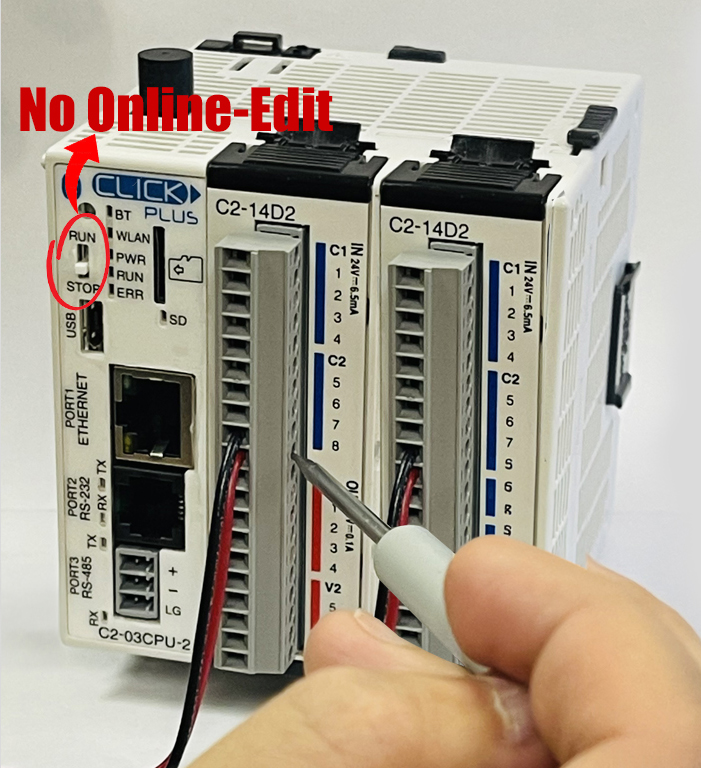
CLICK, vintage 1980's, has no PLC Online-edit.
Click PLC is really not a PLC. It is more like a basic smart relay. Starting 1990's all credible PLCs introduced in the market had PLC Online-Edit so that program developer during machine deisgn or during machine startup can edit the ladder logic conveniently without having to switch from run mote to program mode and them back to run mode. Whereas Click PLC allow entry of data into PLC registers, it does not allow change in ladder logic. Thus Click, if it is to be considered a PLC, it is a very basic PLC.
Mini TouchPLC has full PLC Online-Edit capability.
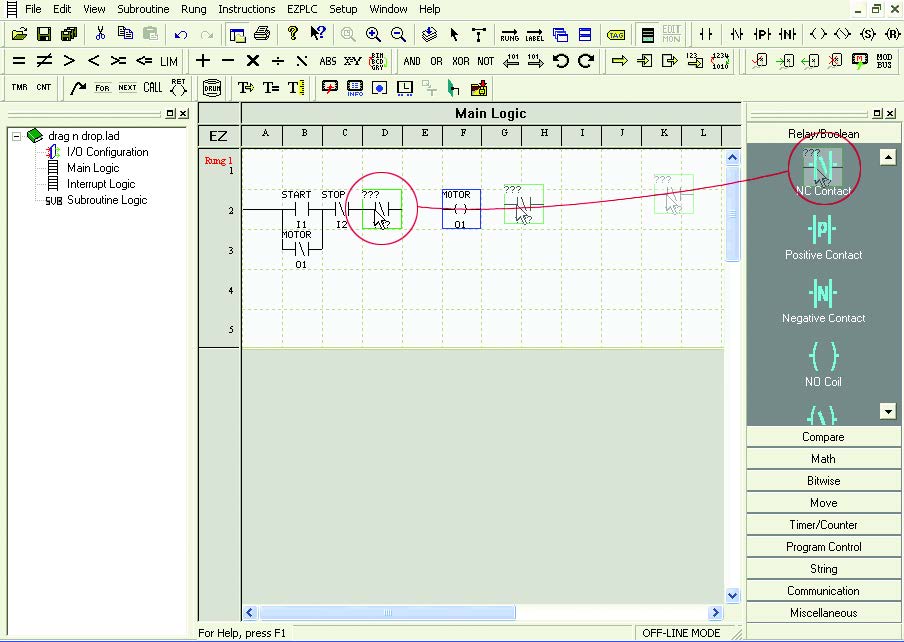
Free Flow Drag-n-Drop Programming Software 1 time Buy for $137
Today, one single plant is likely to have multiple brands of PLCs, requiring Electricians & Maintenance personnel to remember these multiple languages. One may have learnt AutomationDirect PLC Programming Language (different for all different PLCs like Click, BRX, Do-More etc.) or Rockwell, RSLogix months ago, but had not gotten a chance to use it. Troubleshooting the PLC system months later, it is going to be difficult trying to remember the correct syntax. If it is a Siemens PLC, it might take the same person a week to just get started. It is in this context the MiniTouchPLC Drag-n-Drop software was developed. It is essentially a graphical language. You draw the ladder intuitively.
No complicated syntax and rules. It can be learned in a few minutes. Tens of thousands of users learned this software without having to ever attend a class.
Unique Patent Pending Free Flow Logic
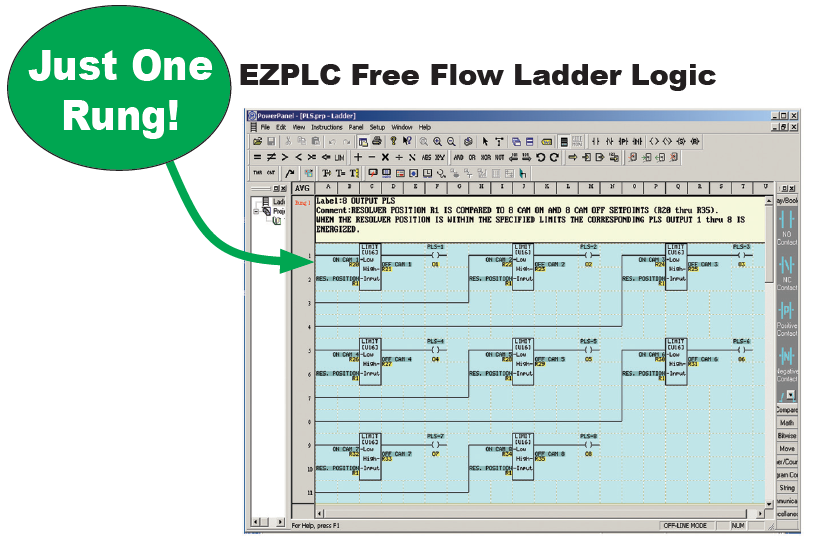
The concept of this Free Flow Ladder Logic is to create less restricted rungs of logic. This saves the user rung space and valuable scan time. On the right you will see an example of Free Flow Ladder-Logic. As you can see the Free Flow logic allows logic to be placed and connected anywhere in the rung rather than creating a new rung. This allows the user to spend more time on other parts of the machine development and let the CPU do more of the work of solving the logic.
Additional Unique Features:
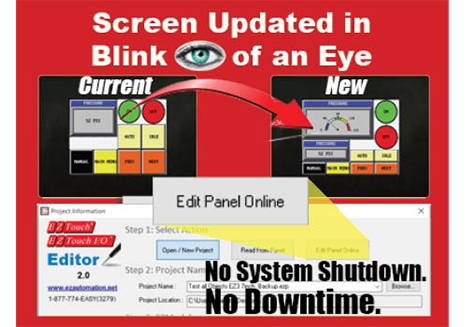
Patented HMI On-Line Edit to change or edit screen objects live on the fly without turning the machine off. Great Feature to avoid having to replace the entire HMI if only a repeat button that’s in constant use goes out.

MiniWiFi addition will prevent floor production interruptions, make edits 50ft away. C-More takes 20-60 minutes for edits.
OEM Utility – For those OEMs or SIs particular about protecting their IP, they could upgrade their HMIs in the field through use of an OEM Utility, which when connected to the HMI upgrades the project without needing programming software. The end user does not see the project file developed by the OEM or SI
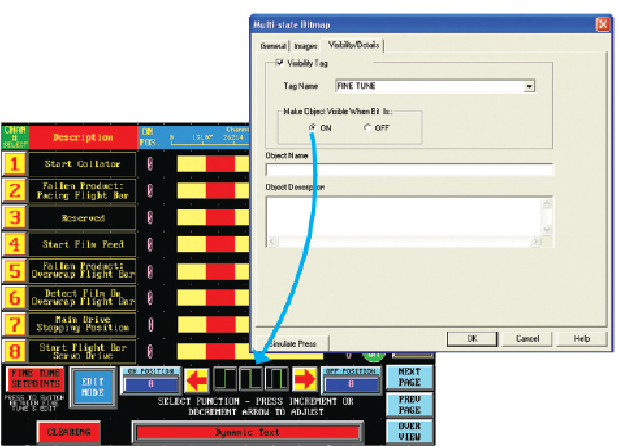
Unique Visibility tag prevents objets from cluttering. All EZTouch HMis have an extremely innovative Visibility tag on all objects. Object appears on the screen only if the visibility tag is true. Along with EZTouch’s feature of overlapping objects, visibility tag is a great space saver on the screen.
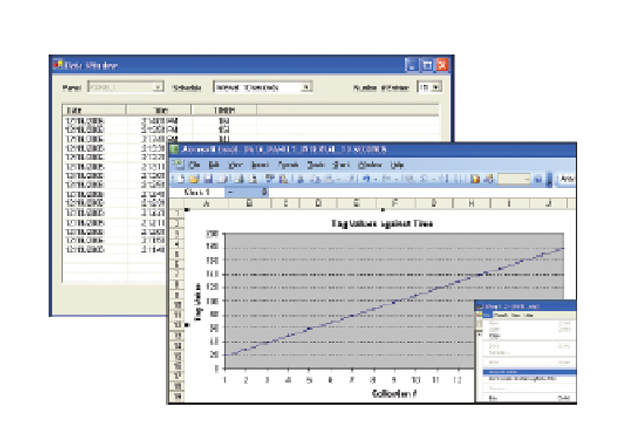
Real Time Remote Data Monitoring and Data Acquistion saving OEM field service trips. Instead of having to send field service engineers out to customers sometimes 1000’s of miles away, this feature in EZ3 allows Remote Monitoring & Troubleshooting of customer’s machine/process.
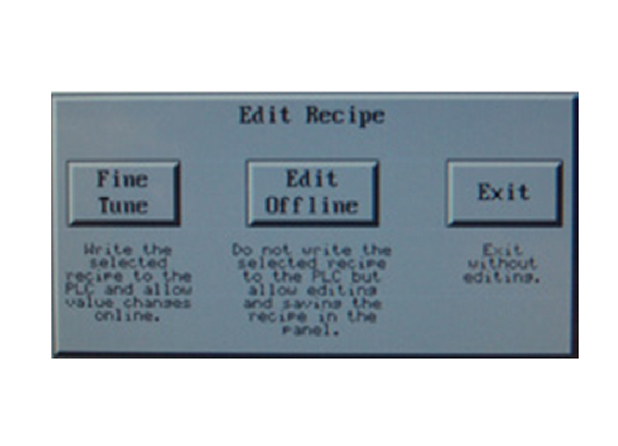
On-Screen Recipe Edit - All EZTouch HMIs feature an on-screen recipe edit where you can edit the recipe on the HMI itself without needing to connect to a laptop with programming software.
Call 563-340-1464 or email applications@ezautomation.net
|
||